One of my New Year’s Resolutions was to downsize as far my websites and blogs are concerned. You probably guested alredy, Go Beyond MLS will be for sale soon, maybe days from now. To be honest I have never sold a website before, so this list of online website value estimators was rather handy to help me write this post. As you can see bellow the estimate range from over $200,000 to $103 (some of the widgets bellow may change by the time I publish this post though). So here are some of the estimates along with my thoughts on some of them…
Continue reading “Would You Pay $234,706 For This Blog?”
The Basics Again: USP
I’d like to kick off what I hope will be a short series on the basics of selling anything at all. Of course this applies to selling real estate but it equally applies to selling cakes, CDs or cars.
I am going to start with USP – Unique Selling Point. Now if you know even 1% of what you need to succeed online this should be like teaching grandmother how to suck eggs. However, we all, even me, need to be reminded of the basics.
What is it about the real estate (or necklaces, watches, computer cases or greeting cards) that you are promoting that no one else offers? Why would Mr Joe Public choose you over the other six or seven thousand people in the country offering the same or similar services?
If you don’t know the answer to this question then your business in in trouble. Continue reading “The Basics Again: USP”
Free Press Releases at PRLog: Benefits and Drawbacks
I have learned about PRLog years years ago, maybe two. If my memory serves me well, I received some marketing materials from them regarding the launch of PRLog and their sister site Article Library at http://artilib.org/. While the idea was interesting, did not look further into using PRLog because I did not believe they will be able to compete with the websites like PRWeb – another leading press release distribution website. PRLog has improved since, and I have been using their services for the last two months.
The PRLog review by Janet Meiners Thaeler inspired me to take another look at their services. But today I would like to list a few benefits along with drawbacks of my own about using PRLog.
The Benefits:
It’s Free
To submit a press release to PRLog does not cost you a penny. In today’s economy it’s a plus I suppose.
Your Press Releases at PRLog go live with a click of the button.
I have used the PRLog for 5 press releases so far- all of them went live right after I clicked the “publish” button. This can be useful if you need to get your news out fast and do not have time to wait through the approval process other website have in place.
PRLog is ranking well in Google and their traffic is on the rise.
I have noticed that all of my press release were crawled by Google within minutes of them going live. One of the press releases has a Google Page rank of 3 while four other press releases have page rank of 2. According to Alexa PRLog’s traffic has been rising steadily over the last several months and according to Compete they are averaging about 1 million visitors each month.
The Drawbacks
Poor click through to your website.
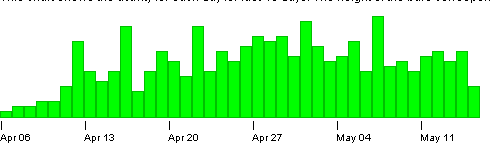
Press releases at PRLog seem to get more views as the “age” – considering that one of the goals of a press release is to “announce” news, it is somewhat backward. Even as the views of your press releases increase I also find that click through to your websites do not.
No control over the anchor text in your links.
When publishing a press release at PRLog, your links are just converted to a clickable URLs. Considering the possible SEO value you maybe able to get from using PRLog, the ability to have control anchor text should be considered by PRLog developers.
PRLog press releases do not get republished on other sites as much as one would wish…
In comparison to other similar websites, press releases from PRLog do not appear to draw much attention from publishers and webmasters. EzineArticles.com will get you better results as far as this goes.
To conclude I wish to say that PRLog has come a long way. If your advertising budget does not allow you to purchase press release services, PRLog should be considered as an option- you can’t beat the free price tag. However you should not expect great results on a single press release at PRLog.
Get Well Joe!

According to Jay’s post, Joe was diagnosed with a malignant brain tumor and is currently in an Intensive Care Unit in a New York hospital.
I have never met Joe in person. Joe however left a lasting impression on me during the few phone conversations we have had in the past.
My wife and I wish Joe a speedy recovery. If you can help Joe and his family with medical bills make sure to click the button bellow – Jay Thompson is coordinating the donation fund for Joe.
Make sure to grab the following code to post the donation button on your website:
Setting up Facebook Pages for beginners

Before we set off on our voyage of discovery today I want to give you a bit of background as to why I am writing this article. I have found myself of late being adviser to a lot of people setting up facebook pages for lots of different reasons. Rather than repeat what I have to say ten times I am going to try and summarize it. Where possible I am going to use the Go Beyond MLS page as an illustration.
Now I should also point out that I am not a guru at this sort of thing but a really enthusiastic geek. With that in mind let us look at setting up pages.
What is a page?
A page is a blog.
Don’t look at me like that a page is basically a cross between twitter and wordpress. For plugins you have applications and instead of tweets you have posts with attachments.
All the basics of blogging apply to your page. We will talk about this in a moment. First some basics to make sure we have not missed anything.
Making the page
Most of you that read this article will know how to make a page already but for those that don’t this is the quick version.
1. Go to a page (the Go Beyond MLS Page is good).
2. At the bottom of the left hand column you will see a link that says “Create a Page for My Business” (this link leads tot he same page).
3. Click it, fill out the details and there you are a page. It has no fans (not even you) and is ready for customisation.
Getting the basics in place
There are some things that a page needs before you even make yourself a fan of it. These are simple that it is easy to overlook them.
1. Upload a picture. In fact if you got as far as making the page and did not have the perfect logo then you need to stop whatever you are doing and get one. Now.
Your picture is your only branding that you get. Everything else looks exactly as facebook wants it to look.
A good image can be as tall as you like but is limited in width. Take a look at the Lord Matt fan page (and become a fan perhaps). You will see that it has a customised image that fills down the page and adds my character to the page. I also get to make the public speaker and blogger points boldly while getting two pictures of me on the one space.
If you do not have the skills to make such an image then a photograph might do. Just remember whatever you use had better be yours to use.
2. Put something short and snappy in the about box.
Treat this like the most important tweet you will ever send. I like to end with a call to action (suggest to friends).
3. Find something worthwhile to say for all the fields under the info tab.
If the fields on the info tab are very much not what you need and do not fit in the slightest then you are not to late to delete the page and try picking a better category. Make up your mind now because it’s the work of ten minutes to change things with no loss if you change them now.
Okay assuming that you stick with your current settings write that “about” section and make sure you make it good.
You have around 100 to 300 words before people have to click to see more so just like blogging you must capture people’s interest within as few lines as possible and then keep it. If it takes days to get the “about” perfect then that is what it takes.
4. Consider making the about tab the default landing page because your wall is not going to be very interesting to start with.
There are more advanced things you can do like adding new tabs that people land on but for now let us just stick with the info tab.
To make it the default landing page you are going to have to click “Edit Page” which is found just under the image you set a while back. Get in there and make some changes.
5. Consider making the default for the wall both fan and page so that it is as much like a basic facebook profile as possible.
You can do this when looking at the page proper.