The cell phone I currently have is not exactly what you can call a “smart phone”, but every so often I like to check and see how my websites and blogs look on my phone. According to Google Analytics, I am not the only one to try and access my blog on my cell phone. During last year there were 83 attempts to access Go Beyond MLS using number of mobile devices:
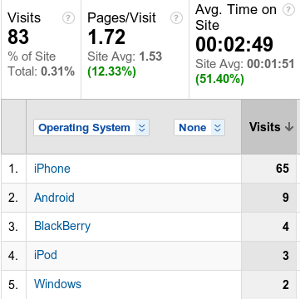
While the above numbers are not something to brag about, I still was surprised to learn that there were attempts to view this blog on mobile devices.
 I am sure that the experience of the above users was not the best one. Navigating this blog from a mobile device has probably proven to be a complete nightmare… Until a few days ago that is.
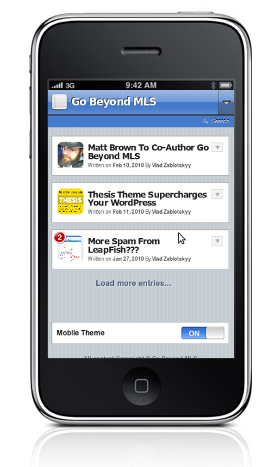
If I have implemented changes correctly, this blog is now optimized for mobile browsing and users should see it in manner shower in the picture to your right. How did I do it? Simple. I used a plugin called WPTouch (developed by Dale Mugford & Duane Storey of BraveNewCode). You can also download WPTouch at WordPress plugin repository.
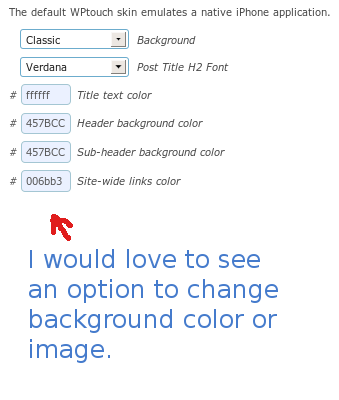
The reason I decided to go with WPTouch is that it offers easy way to customize the feel and look of the “mobile version” of your WordPress, if you like to keep the color scheme that resembles your website for example. Currently the plugin allows you to customize colors of title, header, sub-header and links. I wish however the developers would also allowed changing the background image/color right from the plugin’s dashboard:
The plugin also offers an easy implementation of AdSense mobile ads. Just enter your AdSnese publisher ID and your AdSense channel and you all set:
Your AdSense ads will be published on every “single post” of the “mobile” version of your website:
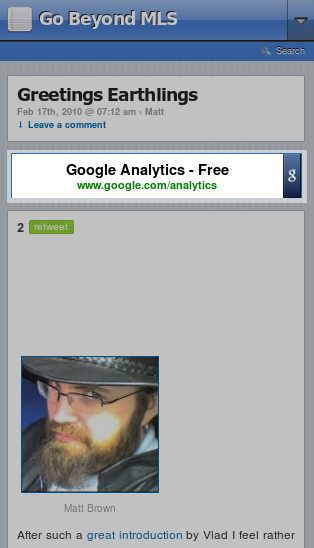
WPTouch is the most advanced way to optimize your WordPress for mobile phone users and visitors that I have seen so far. It does not seem to conflict with any of the other plugins I use on this blog. The developers, however, included a list of plugins that are not supported and may not work well with WPTouch- you can see that list in the plugin’s dashboard.
A special thanks goes to Zac Johnson for introducing me to WPTouch.
Nice plugin! I think WPtap and WPtouch are all very great. They have the same function to make PC websites optimized for mobile devices. WPtap has four themes. I prefer to WPtap.
I prefer to WPtap too.
Thanks so very much for taking your time to create this very useful and informative site.
Hi. I noticed with WP-Touch that all of my pages show up in the list on the home page, which I don’t actually want to happen. How can we make so that only select pages are listed on the home page? Thanks!
Tia,
There is an option in the WP-Touch dashboard where, if I remember correctly, you can choose which pages to show. Unfortunately I have uninstalled the WP-Touch from my blog. I am currently exploring other options. WP-Touch did not play well with WP Super Cache and some other plugins. I will try to update once I find the solution. However if WP-Cache is working well for you, then you should use it. Thanks for stopping by!
Do you need to enter the adsense channel name or its ID?
Thanks,
james.